
What your PC does
KIplatz is an AI whose computing power comes from its members' PCs. This page shows what the AI on your PC does for others and how you can stop it at any time.
The jobs, one by one
When “Share computing power” is switched on, your PC asks the community server for work. Each job is done within minutes. What is running right now is shown in a line at the top of the same page.
| Job | What happens |
|---|---|
| Prepare | New sections of the shared knowledge are prepared so the search can find them. A processor and 6 GB of RAM are enough for this. |
| Deepen | Questions and answers are written for a section, so later answers come faster. This needs a graphics card. |
| Check | Another PC reviews the work before it counts. |
| Warm up | In the morning, your PC fetches the weather and headlines just for you, once a day, when it has nothing else to do. This stays private on your PC. |
| Answer | It answers other members' questions, for example from a phone, without seeing who is asking. This needs a graphics card with 6 GB or more. |
| Hold knowledge | Slices of the shared knowledge are stored on your hard drive, each kept three times across the network and with a checksum. |
Good to know
Part of every job is also sent to a second PC. If the results differ, both are thrown away. That way nobody gets credits for made-up work.
Your own question comes first
As soon as you ask something yourself, your PC pauses its work for the community. Half a minute after your answer it carries on, so your second and third questions are quick too.
Pause and Stop
- Open “Settings” and the tab “Share computing power” on the left. It's quicker via “Program” and “Share computing power” at the top.
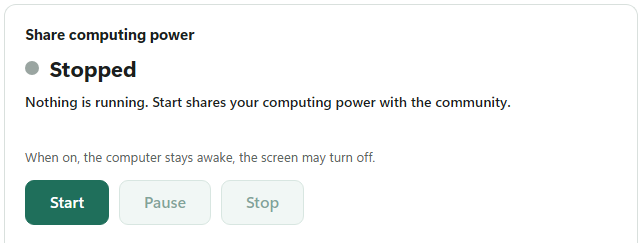
- Click “Pause” if you only want to stop the work for a moment. “Start” gets it going again.
- Click “Stop” if you want nothing to run at all. A job that has already started then goes to another PC.
While sharing is on, the PC stays awake, but the screen can still switch off. If you close the window with the X, the program keeps running down by the clock. It only really stops when you choose “Quit KIplatz” in the “Program” menu.
When your PC waits by itself
- On battery: a notebook doesn't work for others unless it's plugged in. Plug it in and it carries on by itself.
- While you're working: with the setting “Only when I'm away from the computer”, it waits until you haven't touched the keyboard or mouse for 2 minutes.
- When it gets hot: if the graphics card reaches 85 °C or more, it pauses for 60 seconds and then measures again. The window lets you know.
- Kill switch: if we stop the whole community, nobody gets any more jobs. Your program shows the reason and answers your questions itself.
How to set these limits is explained in Set limits.
The daily tally
Under “My community”, the card “Today” shows what your PC has done and what the whole network has achieved together. When you open the program, it tells you once a day what happened while you were away. Every finished job earns credits, as explained in Credits.
Tip
How warm the community's graphics cards get when answering and how much power they use will appear in the statistics as soon as the graphics cards can measure it.