Skip to content
Try KIplatz

Help KIplatz grow

A good AI does not need new halls full of servers. KIplatz runs on PCs that already stand in living rooms and offices. Every PC that helps makes it answer faster and better, for everyone.

With your PC you show that it works without new data centres. You decide yourself when and how much it gives.

GERMANY AUSTRIA SWITZERLAND Server in Vienna passes questions on PC in Graz PC in Munich PC in Cologne PC in Zurich PC in Linz PC in Berlin Phone in Hamburg Question from Hamburg: “How high is the Grossglockner?” The server in Vienna looks for a PC that is free right now … A PC in Graz writes the answer with sources … Answer after 2.4 s, from a community PC. Phone in Bern Question from Bern: “Capital of Carinthia?” The server in Vienna looks for a PC that is free right now … A PC in Munich writes the answer with sources … Answer after 1.2 s, from a community PC. Phone in Leipzig Question from Leipzig: “How many people live in Graz?” The server in Vienna looks for a PC that is free right now … A PC in Cologne writes the answer with sources … Answer after 3.7 s, from a community PC.
This is how a question travels when many people take part. The times were measured on 2 October 2026 on a community PC. Map: Natural Earth.

In everyday use you notice nothing

It helps while you take a break

With the recommended setting your PC only starts helping after you have not touched mouse or keyboard for 2 minutes.

When you sit down again, it stops after the current step and frees the graphics card and memory.

A PC usually has room to spare

Browsing, writing or watching videos, a PC mostly uses only a small part of its power.

Only this free part is shared, and you set how much of it yourself.

When you play, the game comes first

If you need the full power of the graphics card, for a game say, click “Pause” or “Stopp”. It takes effect at once.

With the recommendation it stops anyway as soon as you sit at your PC.

Too much? Just turn it back

If you give more of your own accord and notice something stuttering or slowing down, turn it back under “Rechenkraft teilen” (share computing) or pause.

Nothing of it is final, you can change it any time.

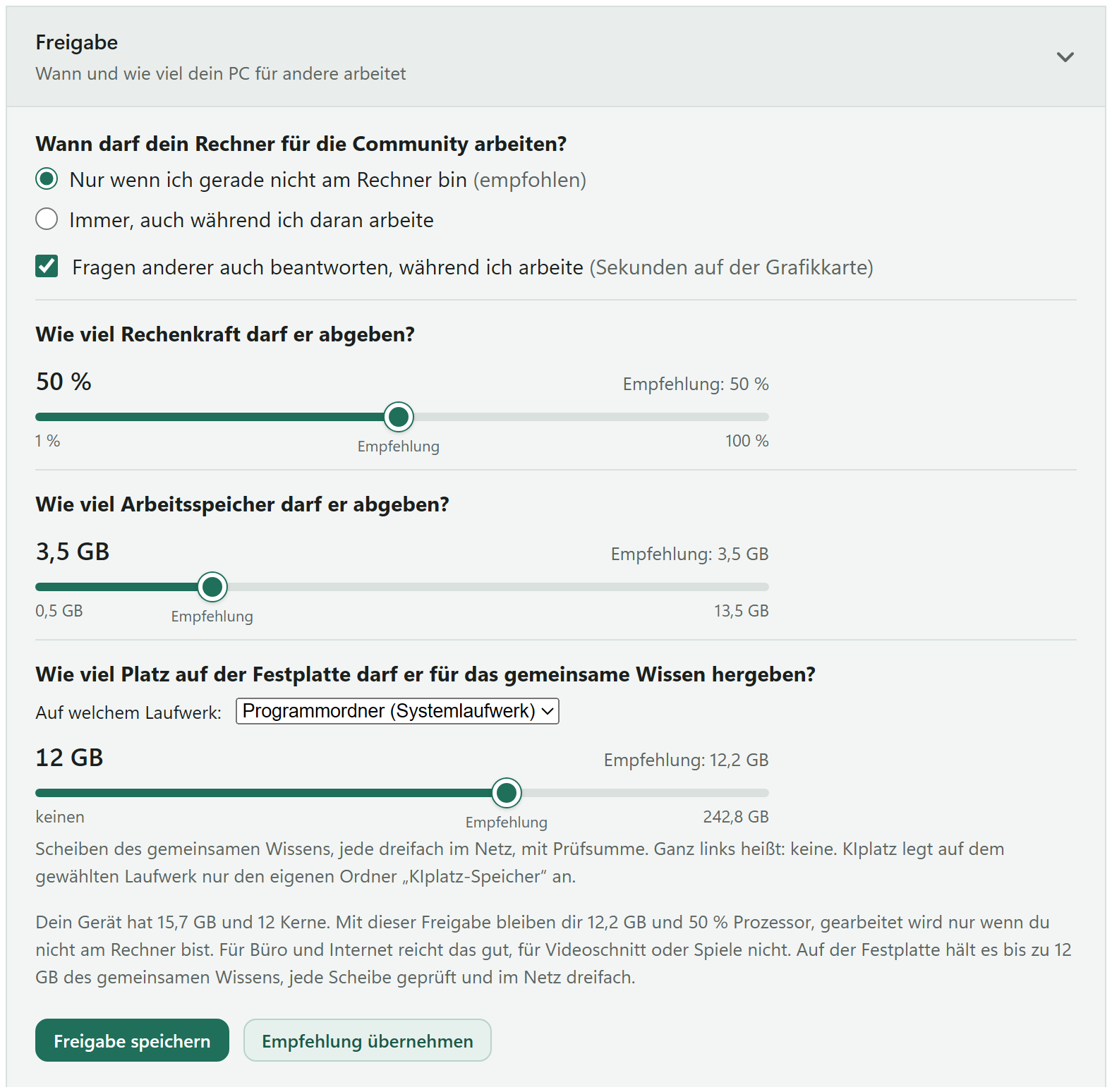
The card Freigabe (sharing) in the program with the recommended values: three sliders for processor, memory and disk, below them the buttons Freigabe speichern and Empfehlung übernehmen

One click on “Empfehlung übernehmen”

In the program, under “Rechenkraft teilen”, you find the card “Freigabe” (sharing). Click “Empfehlung übernehmen” (use the recommendation) there and then “Freigabe speichern” (save), done.

At first only while you are away

“Nur wenn ich gerade nicht am Rechner bin” (only while I am not at the computer) is the safe choice to start with. If your PC has a strong graphics card, you can also tick that it answers other members' questions on the side. An answer needs the graphics card for only a few seconds.

Processor, memory, disk

For processor, memory and disk there is one slider each. Above it is the recommendation, the setting that suits your PC best.

Your files, power, battery and heat

Your filesstay where they are; your PC only gets public knowledge and questions without names
Powerwhile it helps, your PC does not go to sleep, the screen may switch off; that uses some power, “Pause” lets it sleep again
Notebookon battery it stops by itself, plugged in it carries on
Heatif the graphics card gets too warm, it takes a minute's break
Thankscredits: priority for your questions and recognition, no money, no cryptocurrency

Read on How to join · What never happens · FAQ

Every PC makes KIplatz a bit better

You need to know nothing about graphics cards or memory. Get the program, click “Empfehlung übernehmen”, done. If you want out again, one click does it, and everything about your device on the server is deleted.